


EasyDeepOCR
基於深度學習的光學字元辨識函式庫
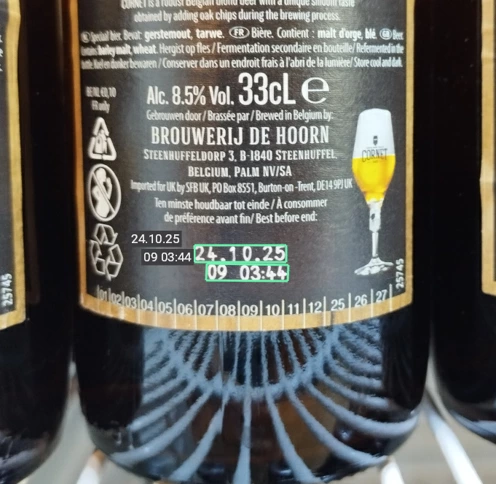
- 專為工業標記設計的工具,例如序號、有效期限、零件編號等…
- 操作極為簡便,API 設計直觀,無需任何培訓
- 可選用的拓撲結構定義功能,用以過濾無關文字
- 專注於文字讀取能力,同時不犧牲處理速度
- 透過專用訓練提升文字的檢測與辨識精準度
- 支援 CPU 與 GPU 運算,適用於 Intel 及 ARM 平台
說明
EasyDeepOCR 是一款新一代 OCR 函式庫,運用深度學習技術來解決當今文字辨識所面臨的挑戰。影像中文字的偵測與字元辨識皆完全自動化。藉由文字拓撲結構的輔助,可降低字元歧義並過濾掉無關的文字。 只需少量樣本即可進行的優化流程,能有效加速處理速度。EasyDeepOCR 相較於 EasyOCR 和 EasyOCR2 函式庫有了重大改進,兼具易用性與強化功能。
API 簡單,成效卻令人驚艷
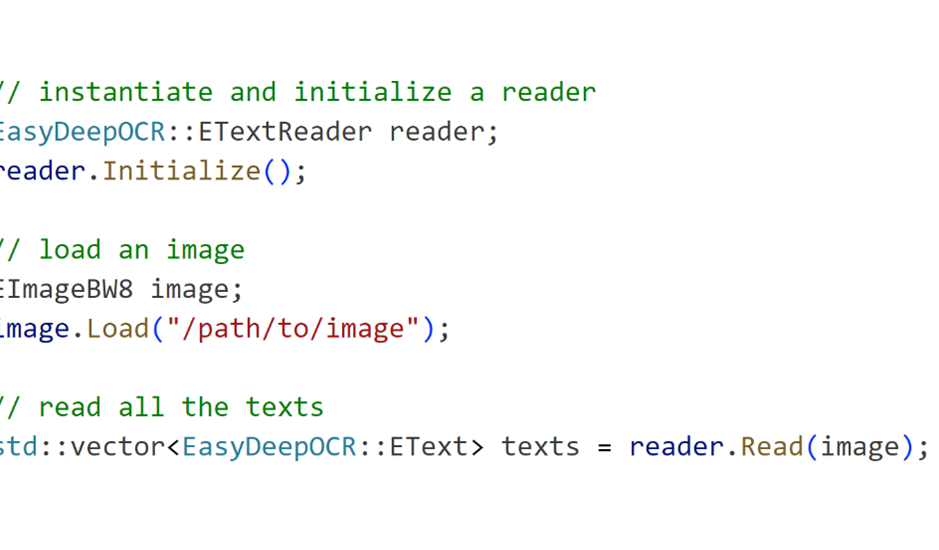
只需一次「讀取」呼叫,圖片中的所有文字就會被偵測並讀取。不再需要進行複雜的設定。
透過重新訓練來微調文字偵測與辨識
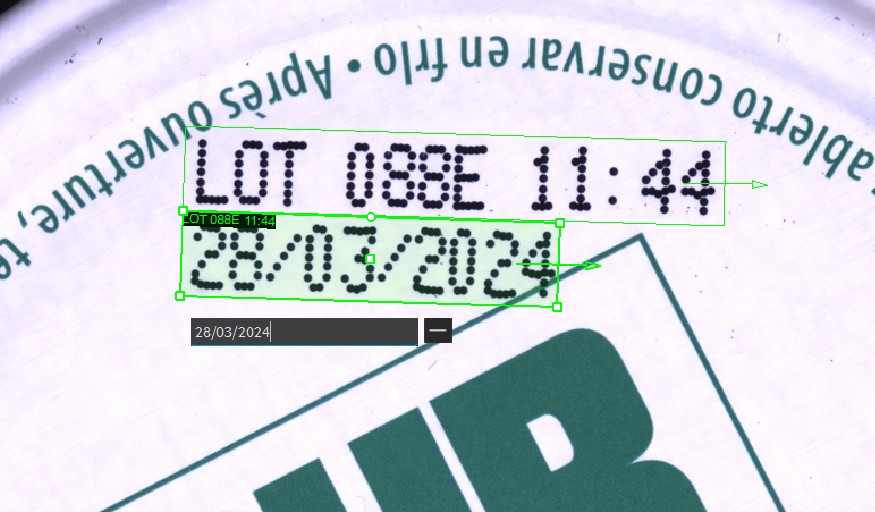
使用者可以重新訓練 EasyDeepOCR 文字偵測與辨識功能背後的神經網路。Deep Learning Studio 中專用的專案類型,提供了一個高效的介面,用於為文字進行標註並執行訓練。即使只有 5 張圖片,您也能在困難的使用情境中獲得顯著的改善。
功能齊全的 eVision Studio 工具
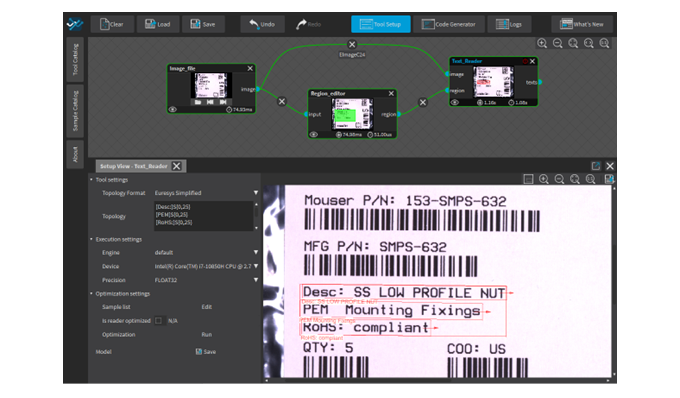
eVision Studio 中的 EasyDeepOCR 工具提供了此函式庫的所有功能。使用者可選擇拓撲結構,並對部分樣本影像進行標註,以執行管線優化。系統亦提供深度學習執行設定,供使用者在不同裝置(CPU、GPU)與引擎(OpenVINO、TensorRT 等)之間進行選擇。
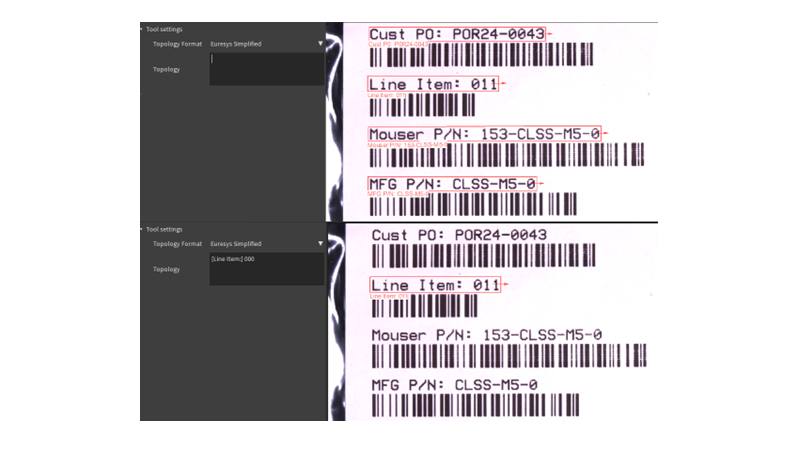
拓撲學定義:聚焦於正確文本
拓撲定義了目標文字的格式。在工業標記的應用情境中,拓撲具有高度實用性,能精準聚焦於有效期限、零件編號或其他格式要求嚴格的文字。透過定義拓撲,使用者不僅能獲取所需文字,更能透過減少歧義來提升字元辨識的準確性。
在 CPU(Intel OpenVINO)和 GPU(NVIDIA TensorRT)上表現優異
EasyDeepOCR 已針對 Intel 與 ARM 處理器(得益於 OpenVINO)以及 NVidia 顯示卡(得益於 TensorRT)進行了優化運行。
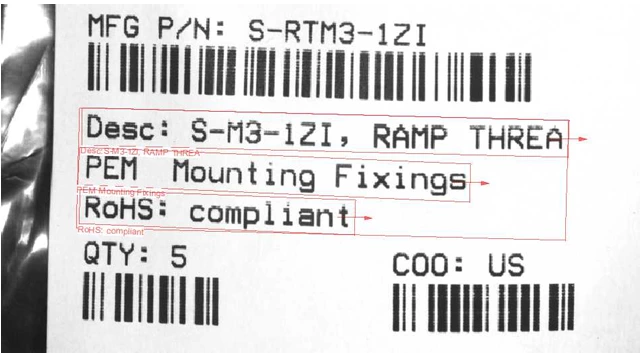

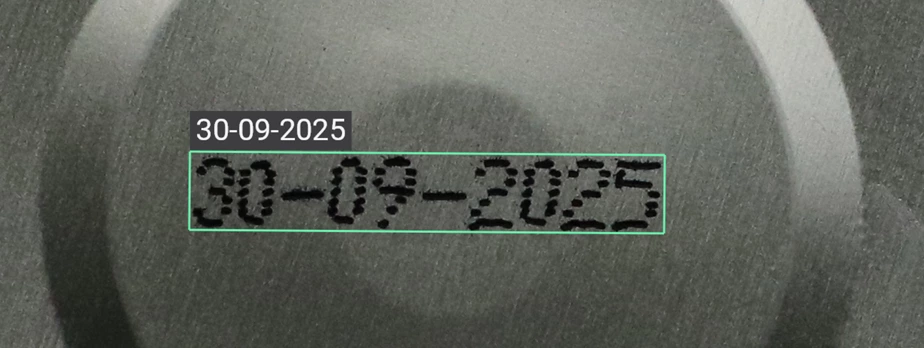
eVision Studio
可透過圖形化介面設計複雜的影像處理流程。這套工具集展現了 eVision 函式庫的多樣性與功能。 對應於處理流程的 C++、Python 及 C# 原始碼會自動產生,並提供 eVision API 的互動式文件。eVision Studio 可處理即時影像來源,例如 GigE Vision 攝影機、Coaxlink 幀擷取卡或 eGrabber 錄影機序列。
此應用程式完全免費,可在 Windows 和 Linux 系統上運行,並相容於 Intel 及 ARM 64 位元架構。


Software
- Host PC Operating System
-
eVision is a set of 64-bit libraries that require an Intel compatible processor with the SSE4 instruction set or an ARMv8-A compatible processor.
eVision can be used on the following operating systems:
Microsoft Windows 11, 10 for x86-64 (64-bit) processor architecture
Microsoft Windows 11, 10 IoT Enterprise for x86-64 systems
Linux for x86-64 (64-bit) and ARMv8-A (64-bit) processor architectures with a glibc version greater or equal to 2.18
Remote connections
Remote connections are allowed using remote desktop, TeamViewer or any other similar software.
Virtual machines
Virtual machines are supported. Microsoft Hyper-V, Oracle VirtualBox and libvirt hypervisors have been successfully tested.
Only the Neo Licensing System is compatible with virtualization.
Minimum requirements:
2 GB RAM to run an eVision application
8 GB RAM to compile an eVision application
Between 100 MB and 2 GB free hard disk space for libraries, depending on selected options.
- APIs
-
Supported programming languages :
The eVision libraries and tools support C++, Python and the programming languages compatible with the .NET (C#, VB.NET)
C++ requirements: A compiler compatible with the C++ 11 standard is required to use eVision
Python requirements: Python 3.11 or later is required to use the Python bindings for eVision
.NET requirements: .NET framework 4.8 (or later) or the .NET platform 6.0 (or later) are supported
Supported Integrated Development Environments:
Microsoft Visual Studio 2017 (C++, C#, VB .NET, C++/CLI)
Microsoft Visual Studio 2019 (C++, C#, VB .NET, C++/CLI)
Microsoft Visual Studio 2022 (C++, C#, VB .NET, C++/CLI)
QtCreator 4.15 with Qt 5.12
- Input
-
Monochrome and color images
Minimum text height: 12 pixels
Text line maximum aspect ratio: 20
Number of text lines in image: unlimited
Ordering Information
- Product status
-
Released
- Product code - Description
-
PC4191 Open EasyDeepOCR for USB dongle
PC4341 Open eVision EasyDeepOCR
- Related products
-
PC6512 eVision/Open eVision USB Dongle (empty)
PC6514 Neo USB Dongle (empty)