


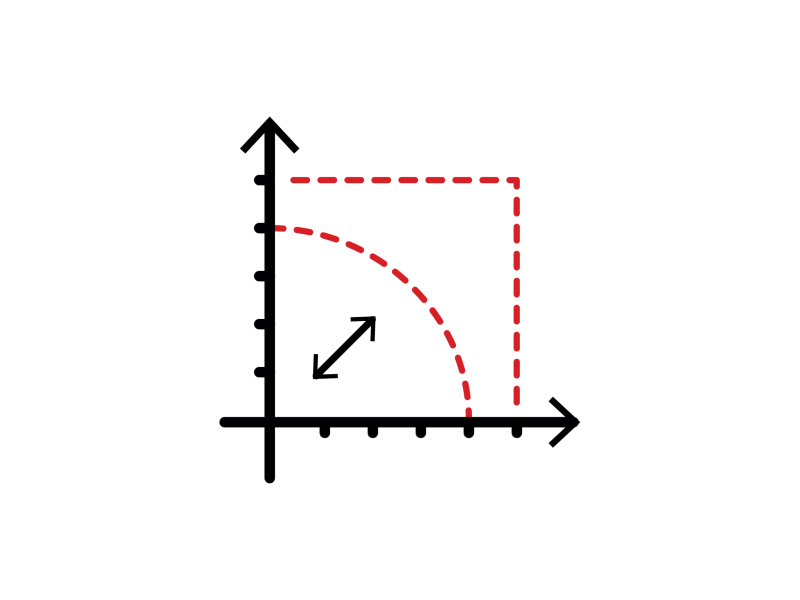
- Sub-pixel point location and edge fitting
- Highly accurate and robust
- Advanced and automatic calibration
- Multiple gauge models
- Measurement of position, orientation, size, curvature, distance
- Interaction through graphical interface
Description
EasyGauge is a cutting-edge measurement and dimension control library for use in gauging and metrology applications. By relying on proven sub-pixel edge detection (Point & Line) and shape fitting (Rectangle, Circle, Wedge & Polygon) algorithms, it allows determining the dimension, position, curvature, size, angle or diameter of manufactured parts with an excellent accuracy. Robustness is ensured by powerful edge-point selection mechanisms that are intuitive and easy to tune, allowing measurement in cluttered images. In addition, EasyGauge also supports the automatic measurement of parallel sides, thus providing means of measuring the thickness of flat or bent objects, as well as the precise location of corners.
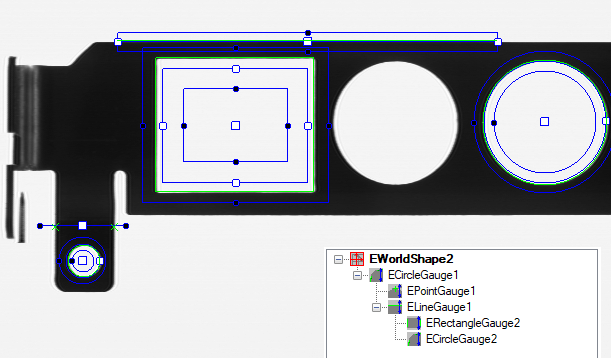
Gauge Grouping
EasyGauge supports grouping of the measurement gauges and lets these groups track the measured items in the image. These can freely translate and/or rotate while the probes are repositioned accordingly. Derived measurements such as distances between feature points can then be computed.
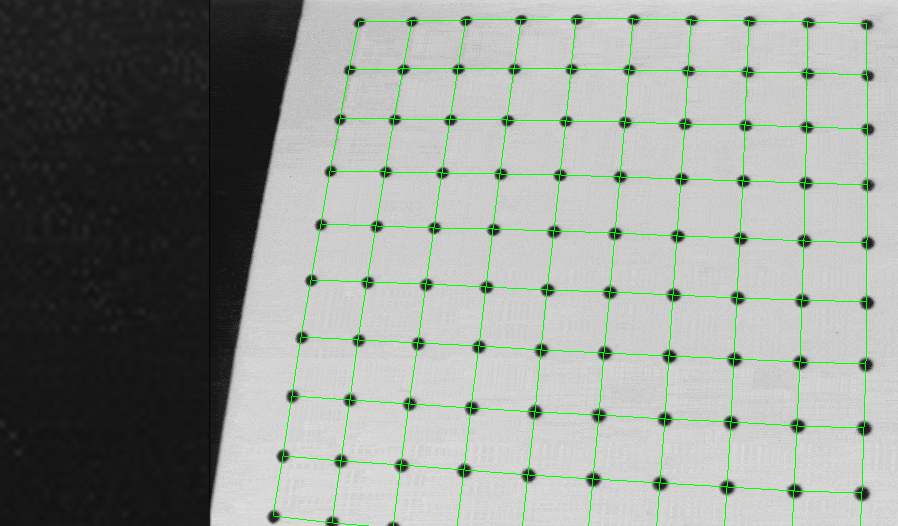
Advanced And Automatic Calibration
EasyGauge features advanced built-in calibration capabilities to transparently convert pixel measurements to physical units; this relieves the user of the need to convert coordinates. Non-square pixels and rotated coordinate axis are supported. EasyGauge also provides means to determine and correct perspective and optical distortion, with no performance loss.
Other Benefits
Neo Licensing System
Neo is the new Licensing System. It is reliable, state-of-the-art, and is now available to store Open eVision and eGrabber licenses. Neo allows you to choose where to activate your licenses, either on a Neo Dongle or in a Neo Software Container. You buy a license, you decide later.
Neo Dongles offer a sturdy hardware and provide the flexibility to be transferred from a computer to another. Neo Software Containers do not need any dedicated hardware, and instead are linked to the computer on which they have been activated.
Neo ships with its own, dedicated Neo License Manager which comes in two flavours: an intuitive, easy to use, Graphical User Interface and a Command Line Interface that allows for easy automation of Neo licensing procedures.
All Open eVision Libraries For Windows And Linux
- Microsoft Windows 11, 10 for x86-64 (64-bit) processor architecture
- Microsoft Windows 11, 10 IoT Enterprise on x86_64 systems
- Linux for x86-64 (64-bit) and ARMv8-A (64-bit) processor architectures with a glibc version greater or equal to 2.18
Open eVision Studio
Open eVision Studio is the evaluation, prototyping and development tool of Open eVision.
Its intuitive graphical user interface allows you to call and immediately see the result of any of eVision’s 2D image processing functions. A scripting functionality generates the corresponding code, which can then be copied and pasted into your application.
Open eVision Studio is free (when using Open eVision 2.0 and above) and does not require any license.


Software
- Host PC Operating System
-
Open eVision is a set of 64-bit libraries that require an Intel compatible processor with the SSE4 instruction set or an ARMv8-A compatible processor.
Open eVision can be used on the following operating systems:
Microsoft Windows 11, 10 for x86-64 (64-bit) processor architecture
Microsoft Windows 11, 10 IoT Enterprise for x86-64 systems
Linux for x86-64 (64-bit) and ARMv8-A (64-bit) processor architectures with a glibc version greater or equal to 2.18
Remote connections
Remote connections are allowed using remote desktop, TeamViewer or any other similar software.
Virtual machines
Virtual machines are supported. Microsoft Hyper-V, Oracle VirtualBox and libvirt hypervisors have been successfully tested.
Only the Neo Licensing System is compatible with virtualization.
Minimum requirements:
2 GB RAM to run an Open eVision application
8 GB RAM to compile an Open eVision application
Between 100 MB and 2 GB free hard disk space for libraries, depending on selected options.
- APIs
-
Supported programming languages :
The Open eVision libraries and tools support C++, Python and the programming languages compatible with the .NET (C#, VB.NET)
C++ requirements: A compiler compatible with the C++ 11 standard is required to use Open eVision
Python requirements: Python 3.11 or later is required to use the Python bindings for Open eVision
.NET requirements: .NET framework 4.8 (or later) or the .NET platform 6.0 (or later) are supported
Supported Integrated Development Environments:
Microsoft Visual Studio 2017 (C++, C#, VB .NET, C++/CLI)
Microsoft Visual Studio 2019 (C++, C#, VB .NET, C++/CLI)
Microsoft Visual Studio 2022 (C++, C#, VB .NET, C++/CLI)
QtCreator 4.15 with Qt 5.12
Ordering Information
- Product status
-
Released
- Product code - Description
-
PC4159 Open EasyGauge for USB dongle
PC4309 Open eVision EasyGauge
- Related products
-
PC6512 eVision/Open eVision USB Dongle (empty)
PC6514 Neo USB Dongle (empty)