


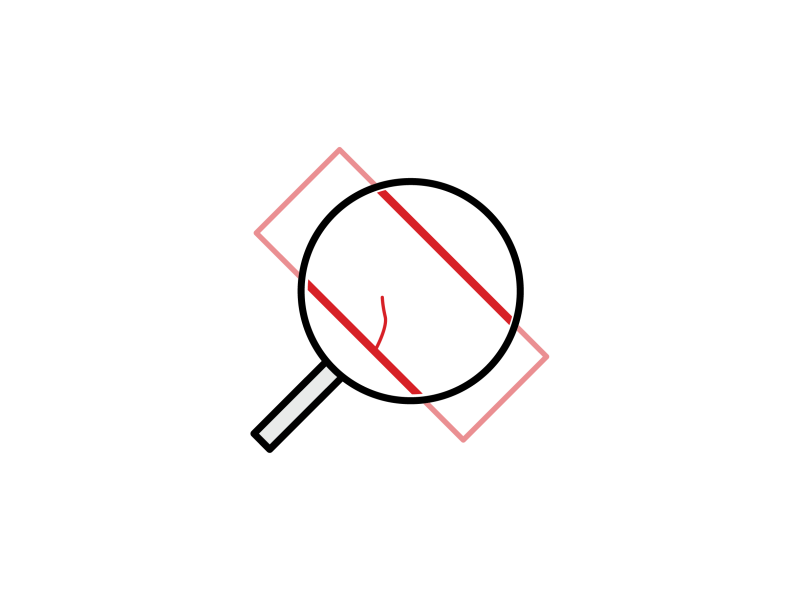
- Detection of faint defects and contamination, even in noisy images
- Fast processing for in-line inspection
- Compatible with acquisition from line-scan and 2D cameras
- Optional pre-alignment of the region of interest on part’s edges
- Optional Deep Learning classification of the defects
- Simple and comprehensive C++, C# and Python API
Description
Realtime Processing For In-Line Surface Inspection
With its two-stage approach, EasySpotDetector is faster than other Deep Learning based object segmentation processing. EasySpotDetector can process up to 200 MPixels per second on an Intel i7-10850H computer (detection only). The classification can benefit from a GPU operation but is also optimized to run on CPU thanks to OpenVINO.
Set Of Parameters To Control Defect Segmentation
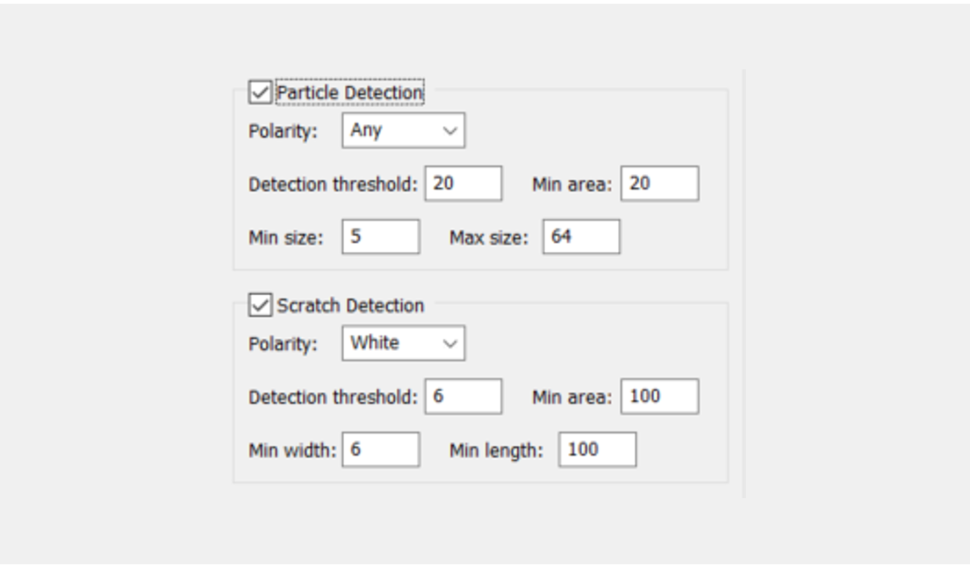
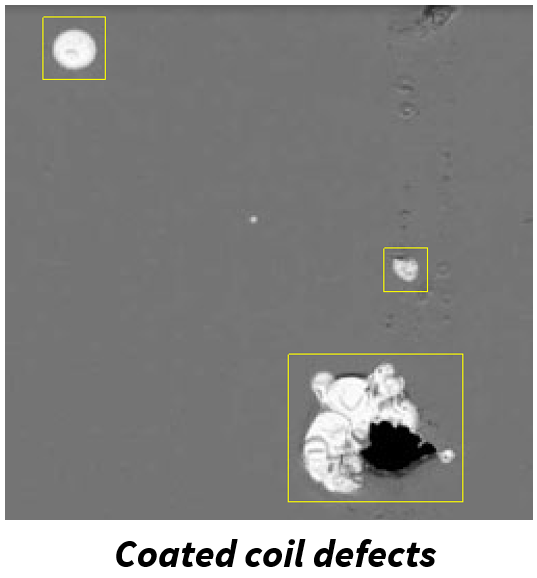
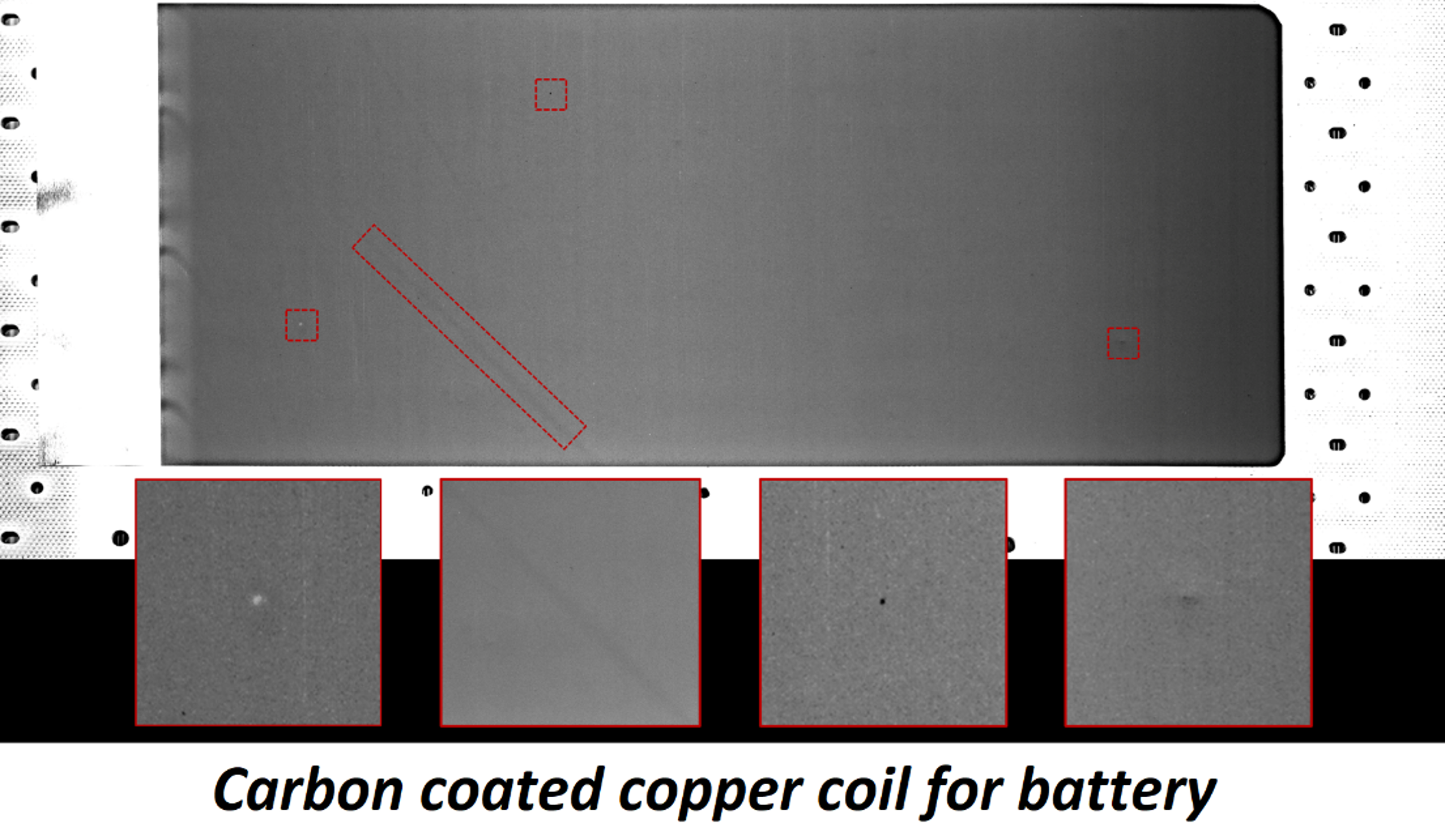
A set of explicit parameters allows the user to target specific defects. The type (particle, scratch…), the aspect (lighter, darker or both), the size, the minimum contrast (strong or faint defect) of the defects can be adjusted.
Simple And Comprehensive API
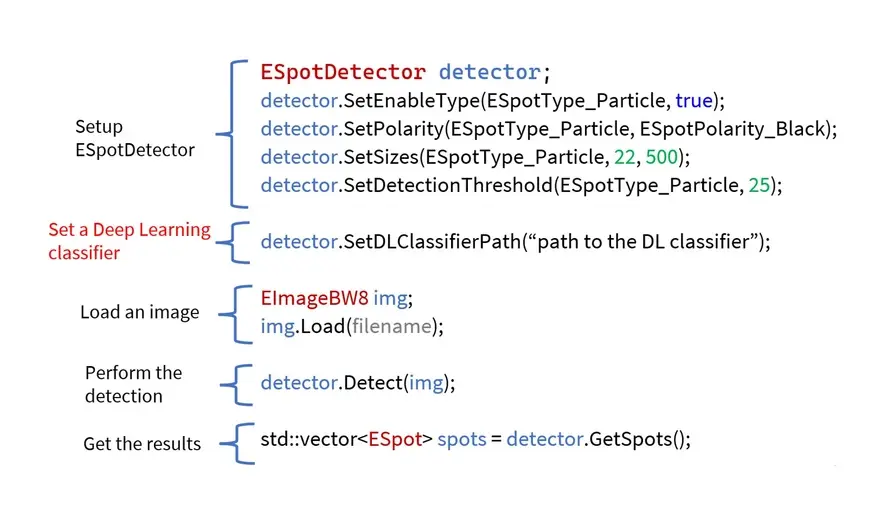
EasySpotDetector provides a single API for the alignment of the region of interest (ROI), the detection of defects on surfaces and the classification with a custom trained Deep Learning classifier.
Custom Trained Deep Learning Object Classifier
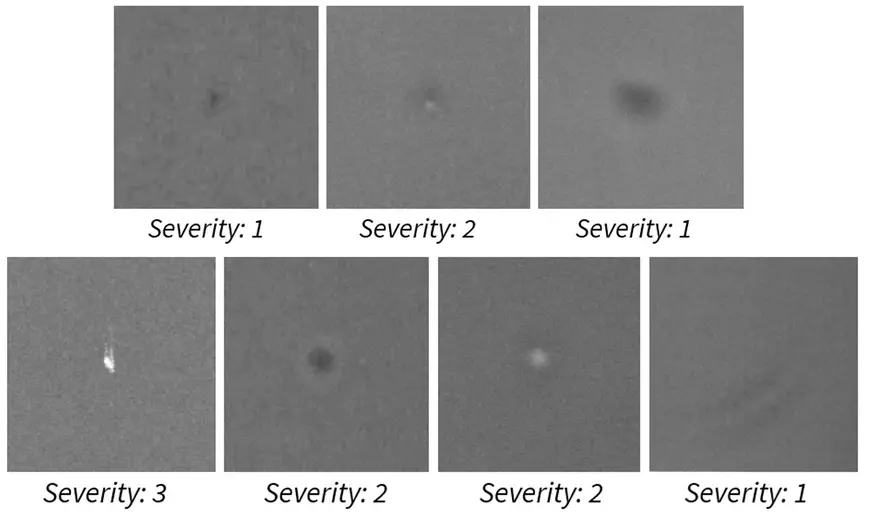
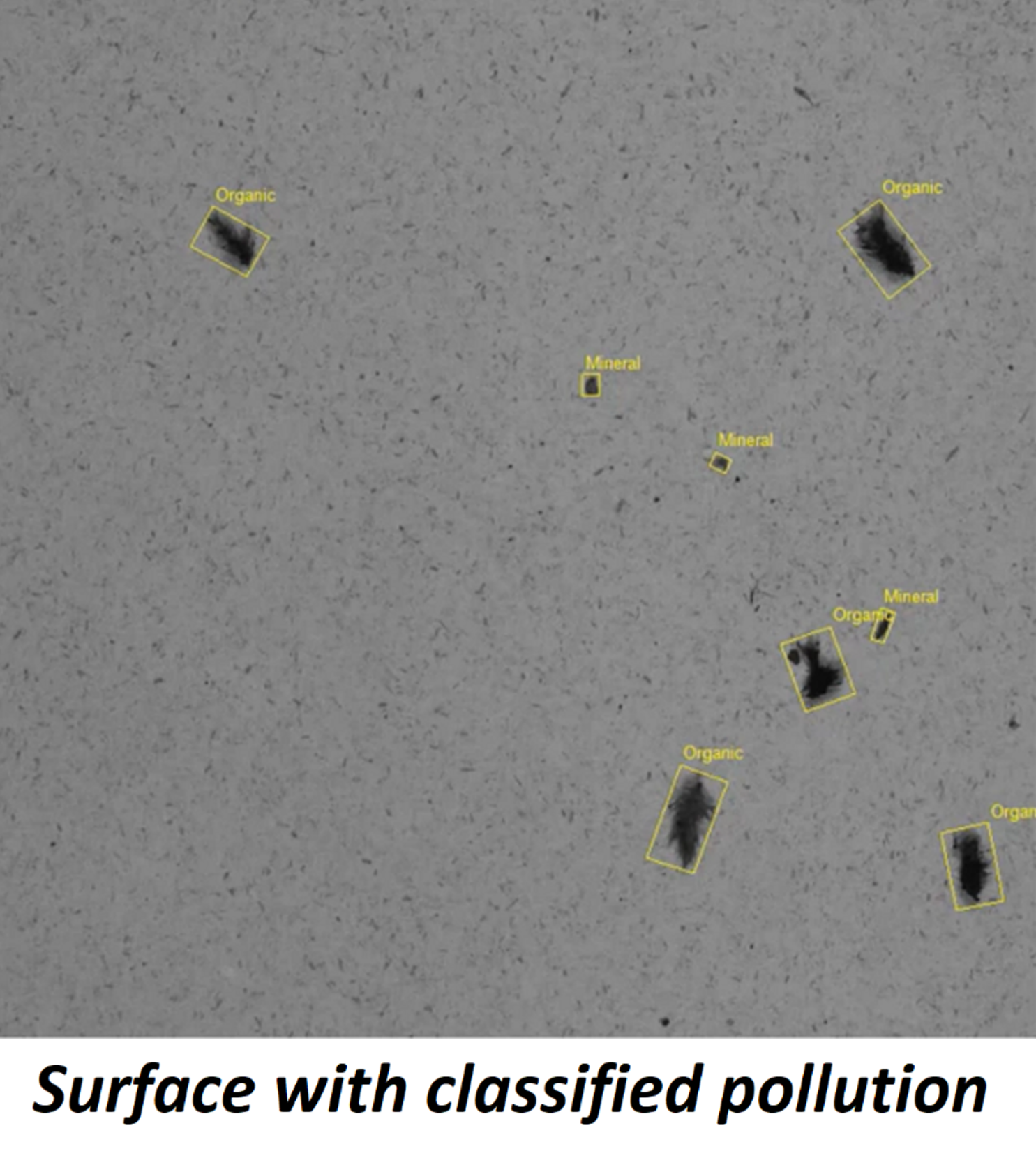
Detected objects can be submitted to a deep learning classifier. The classifier is trained by the user, specifically for his particular application, using the user-friendly Deep Learning Studio. Possible usages of the classifier are:
- Confirm or invalidate the detected candidates.
- Evaluate the severity level of the defects.
- Split the detected objects into several classes based on their aspect.
Tested On Various Use Cases

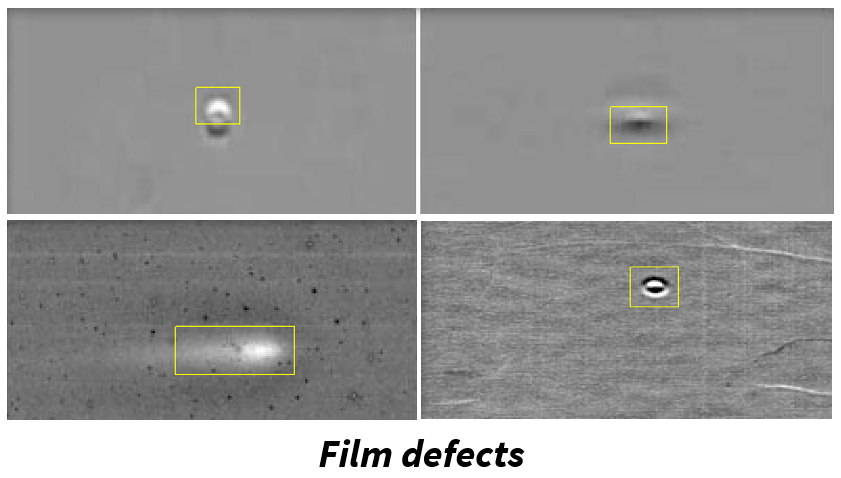
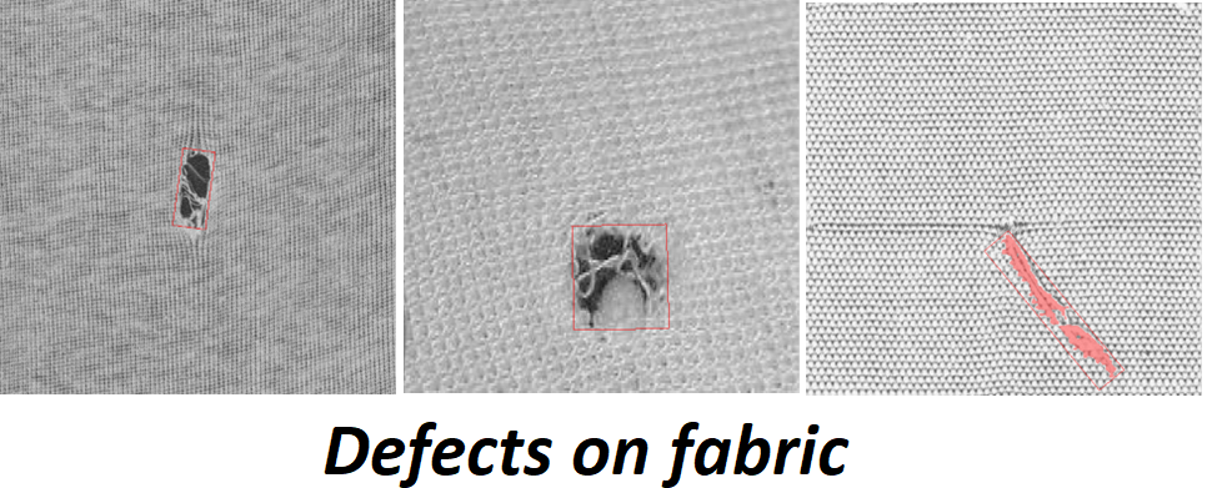
EasySpotDetector has been successfully tested on several surface inspection applications, including: battery foil, fabric, steel, passive electronic components and natural materials e.g.: leather, wood.
EasySpotDetector Illustrations
New Open eVision Studio
Complex image processing sequences can be designed using a graphical interface. The collection of tools represents the diversity and the capabilities of the Open eVision libraries. The C++, Python and C# source code, corresponding to the processing pipeline, is automatically generated and provides an interactive documentation of the Open eVision API. The New Open eVision Studio can process live image sources such as a GigE Vision camera, a Coaxlink frame grabber or eGrabber recorder sequences.
This application is free of charge, runs on Windows, Linux and is compatible with Intel and ARM 64-bit architectures.


Software
- Host PC Operating System
-
Supported operating systems:
Microsoft Windows 11, 10 for x86-64 (64-bit) processor architecture
Microsoft Windows 11, 10 IoT Enterprise for x86-64 systems
Linux for x86-64 (64-bit) and ARMv8-A (64-bit) processor architectures with a glibc version greater or equal to 2.18
Minimum requirements:
8 GB RAM
Optional NVidia GPU
- APIs
-
Supported programming languages :
The Open eVision libraries and tools support C++, Python and the programming languages compatible with the .NET (C#, VB.NET)
C++ requirements: A compiler compatible with the C++ 11 standard is required to use Open eVision
Python requirements: Python 3.11 or later is required to use the Python bindings for Open eVision
.NET requirements: .NET framework 4.8 (or later) or the .NET platform 6.0 (or later) are supported
Supported Integrated Development Environments:
Microsoft Visual Studio 2017 (C++, C#, VB .NET, C++/CLI)
Microsoft Visual Studio 2019 (C++, C#, VB .NET, C++/CLI)
Microsoft Visual Studio 2022 (C++, C#, VB .NET, C++/CLI)
QtCreator 4.15 with Qt 5.12
- Input
-
Image source:
Any 8-bit grey scale image, no size limit
Region of interest:
Explicit or automatic selection of the region of interest (an oriented rectangle is fitted to the part’s edges)
- Output
-
A list of detected spots with their type (particle or scratch), position and size, strength, and pixel level segmentation map
Optionally, if a deep learning classifier is loaded, a class and a probability is set for each spot. The deep learning classifier is a trained EasyClassify tool.
Display functions are provided to draw the spot bounding boxes and segmented pixel
- Performance
-
Processing speed on single core Intel i7-10850H:
Particle detection only: 200 MPixels/s
Particle and scratch: 60 MPixels/s
- Requirements
-
Minimum defect size:
2x2 pixels
No maximum defect size
Ordering Information
- Product status
-
Released
- Product code - Description
-
PC4190 Open EasySpotDetector for USB dongle
PC4340 Open eVision EasySpotDetector
- Related products
-
PC6512 eVision/Open eVision USB Dongle (empty)
PC6514 Neo USB Dongle (empty)