


- 点云处理与管理
- 灵活的ZMap生成
- 用于裁剪、降采样、拟合和对齐点云的3D处理功能
- 兼容多种3D传感器
- 通过3D查看器实现交互式3D显示
描述
点云处理
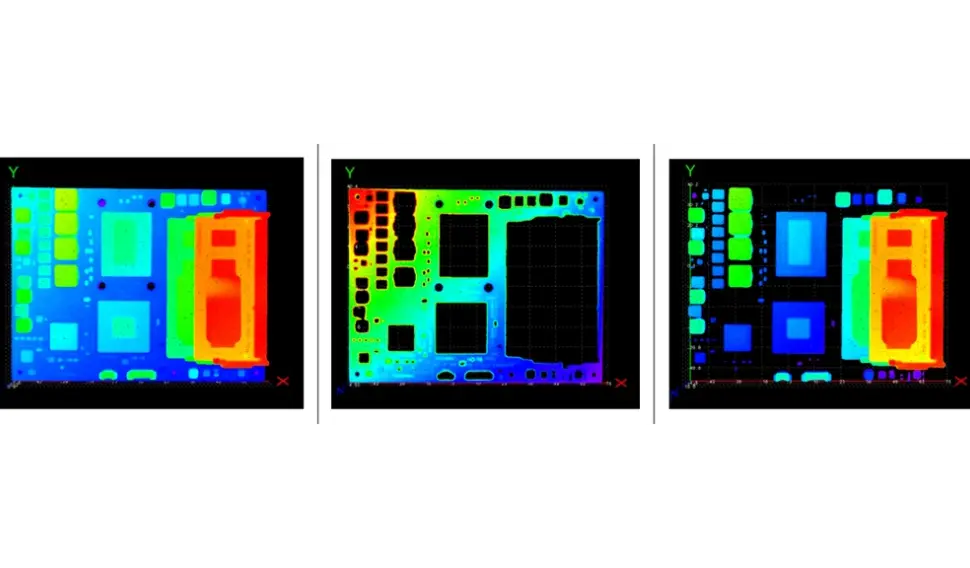
校准后,3D点云采用真实世界三维坐标系存储无畸变数据。可通过Easy3D功能处理3D点云,包括坐标变换、点云裁剪与降采样、平面检测与拟合以及零件对齐等操作。
与3D传感器的兼容性
Easy3D库能够导入来自自动化技术、Azure Kinect、Benano、Heliotis、IDS Ensenso、英特尔RealSense、Lucid Helios、LMI Gocator、Mech-Mind、Nerian Ruby、Photoneo PhoXi、深圳森视(SSZN)、Zivid等第三方3D传感器的数据。 该库高效管理点云和Z地图数据,支持执行三维处理与分析操作。
ZMap生成
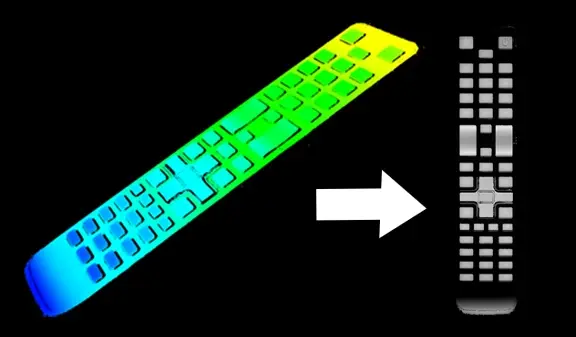
ZMap是点云在参考平面上的投影,其中距离以像素灰度值形式存储。ZMap具有无畸变特性,并采用度量坐标系。 Easy3D提供生成此类ZMap的函数。更重要的是,您可将Open eVision所有2D处理功能应用于ZMap:使用EasyImage进行滤波与阈值处理,通过EasyObject实现斑块分析,借助EasyGauge进行亚像素测量,并利用EasyFind与EasyMatch执行模式匹配。
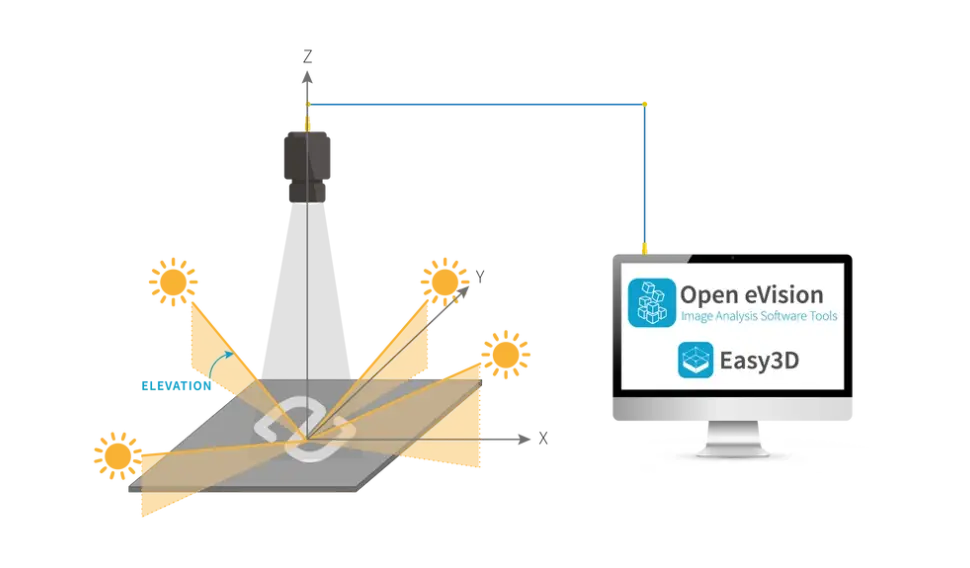
光度立体法在三维表面检测中的应用
光度立体测绘功能通过从单一视角获取同一物体表面在不同方向照明下的多幅图像,来估算该表面每个点的方位角和反照率。 该方法适用于检测单一摄像头-光源组合无法捕捉的物体表面细节(缺陷或信息),并能揭示表面曲率或纹理的细微变化。可作为其他库的前处理阶段使用,例如:
- 条码识别:EasyMatrixCode、EasyQRCode或EasyBarCode
- 光学字符识别:EasyOCR
- 对齐:EasyMatch、EasyFind
- 测量:EasyGauge
- 缺陷检测:EasyObject、EasySegment
光度立体测量功能可在Easy3D库中使用。

3D查看器
使用Easy3D的3D查看器类创建交互式3D显示。该3D查看器可显示点云和3D对象,采用OpenGL接口,并需要兼容的显示设备。
其他福利
新许可系统
Neo 是全新的授权系统。它可靠且技术先进,现已支持存储 Open eVision 和 eGrabber 授权。Neo 允许您选择授权激活方式:可通过 Neo 硬件密钥或 Neo 软件容器激活。购买授权后,您可随时决定激活方式。
Neo加密狗提供坚固的硬件支持,可灵活转移至不同计算机使用。Neo软件容器无需专用硬件,仅与激活所在的计算机绑定。
Neo自带专属许可证管理器,提供两种操作模式:直观易用的图形用户界面,以及可轻松自动化Neo许可证流程的命令行界面。
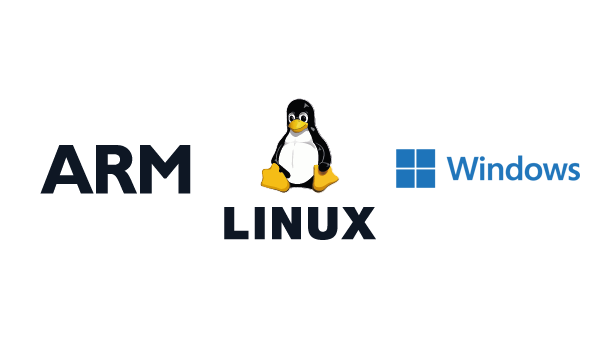
适用于Windows和Linux的所有Open eVision库
- Microsoft Windows 11、10 适用于 x86-64(64 位)处理器架构
- Microsoft Windows 11、10 IoT Enterprise 适用于 x86_64 系统
- 适用于 x86-64(64 位)和 ARMv8-A(64 位)处理器架构的 Linux,需使用 glibc 2.18 及以上版本
Open eVision 3D Studio
Open eVision 3D Studio 是 Open eVision 的三维评估与原型设计应用工具。
该应用通过采用 Coaxlink Quad 3D-LLE 图像采集卡以及 Easy3D 和 Easy3DLaserLine 库,极大简化了单通道与双通道三维激光线检测系统的配置流程。
Open eVision 3D Studio 完全免费,无需任何许可证。
Software
- Host PC Operating System
-
Open eVision is a set of 64-bit libraries that require an Intel compatible processor with the SSE4 instruction set or an ARMv8-A compatible processor.
Open eVision can be used on the following operating systems:
Microsoft Windows 11, 10 for x86-64 (64-bit) processor architecture
Microsoft Windows 11, 10 IoT Enterprise for x86-64 systems
Linux for x86-64 (64-bit) and ARMv8-A (64-bit) processor architectures with a glibc version greater or equal to 2.18
Remote connections
Remote connections are allowed using remote desktop, TeamViewer or any other similar software.
Virtual machines
Virtual machines are supported. Microsoft Hyper-V, Oracle VirtualBox and libvirt hypervisors have been successfully tested.
Only the Neo Licensing System is compatible with virtualization.
Minimum requirements:
2 GB RAM to run an Open eVision application
8 GB RAM to compile an Open eVision application
Between 100 MB and 2 GB free hard disk space for libraries, depending on selected options.
- APIs
-
Supported programming languages :
The Open eVision libraries and tools support C++, Python and the programming languages compatible with the .NET (C#, VB.NET)
C++ requirements: A compiler compatible with the C++ 11 standard is required to use Open eVision
Python requirements: Python 3.11 or later is required to use the Python bindings for Open eVision
.NET requirements: .NET framework 4.8 (or later) or the .NET platform 6.0 (or later) are supported
Supported Integrated Development Environments:
Microsoft Visual Studio 2017 (C++, C#, VB .NET, C++/CLI)
Microsoft Visual Studio 2019 (C++, C#, VB .NET, C++/CLI)
Microsoft Visual Studio 2022 (C++, C#, VB .NET, C++/CLI)
QtCreator 4.15 with Qt 5.12
Ordering Information
- Product status
-
Released
- Product code - Description
-
PC4181 Open Easy3D for USB dongle
PC4331 Open eVision Easy3D
- Related products
-
PC1637 Coaxlink Quad 3D-LLE
PC6512 eVision/Open eVision USB Dongle (empty)
PC6514 Neo USB Dongle (empty)

